Cut resident queries. Capture cleaner data.
Residents self-serve documents, payments, affordability checks, and instructions in a portal they actually want to use — and every action syncs back to your team in real time.
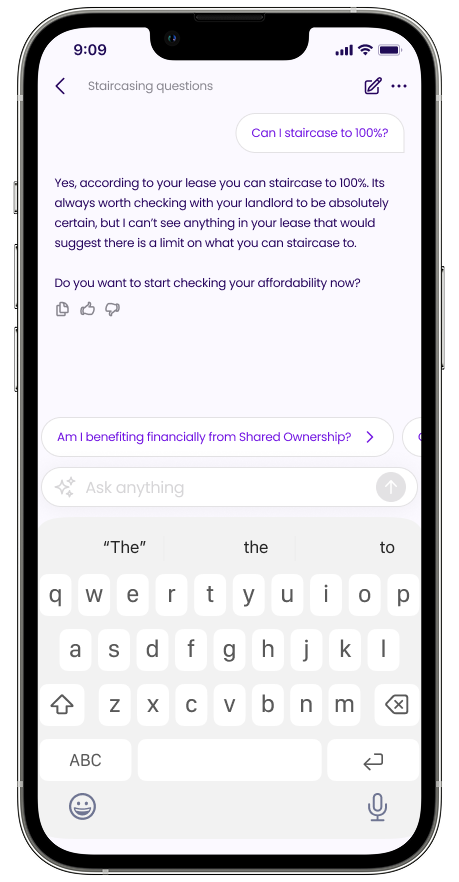
Can you buy more of your home?
Takes 2 minutes to check eligibility and affordability
Can I afford to staircase?
How much equity do I have?
When’s my service charge review?
Cut inbound query volume
Residents self-serve the answers they used to phone for — balance, share value, what they own, what comes next. Aftersales and customer-service teams stop answering the same questions for years.
Capture cleaner, live resident data
Income, outgoings, contact details, and consents kept current by the resident — in one record that Aftersales, Compliance, and Finance read from rather than chasing.
Convert intent into instructions earlier
Residents instruct staircasing, resales, and changes the moment they're ready, with affordability already on file. Cases land in your team's workflow half-built.
Self-service that residents actually use — and queries you stop answering
Most Housing Associations answer the same questions on repeat: what's my balance, what's my share worth, when does my service charge change, can I staircase yet. The Resident Portal puts those answers in front of the resident in plain English, kept live from your platform record — so the call doesn't get made in the first place.
Residents log in and see their home: the share they own, the rent and service charge they pay, the current valuation, the lease terms that matter, and the next thing happening on their case. Every value is read from the live record, so the answer in the app is the same answer your team would give over the phone — and it's available at 9pm on a Sunday.
Deflect the calls before they land
Balance, share value, payment history, and case status surfaced in-app — so the calls and emails your team used to handle one-by-one stop arriving in the first place.
Plain English, not policy language
Service charge changes, rent reviews, and lease events explained the way a resident actually wants to read them — not lifted verbatim from a policy doc.
What residents can do for themselves — and what your team finally sees
Two sides of one record. Residents act from the app on the things they used to need a phone call for; your team sees every action land as structured data — not as another email to triage.
Resident can self-serve
- View share owned and current valuation
- Pay rent and service charge
- Update income, outgoings, and contact details
- Upload documents and ID
- Instruct staircasing, resale, name changes
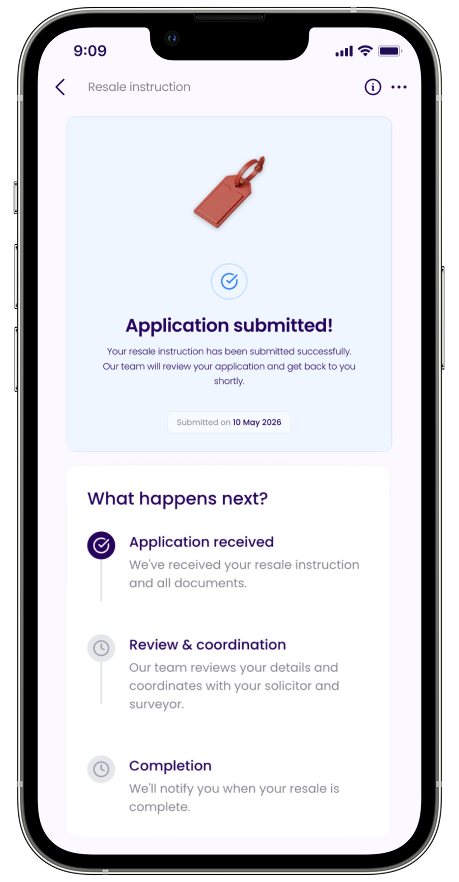
- Track case progress in real time
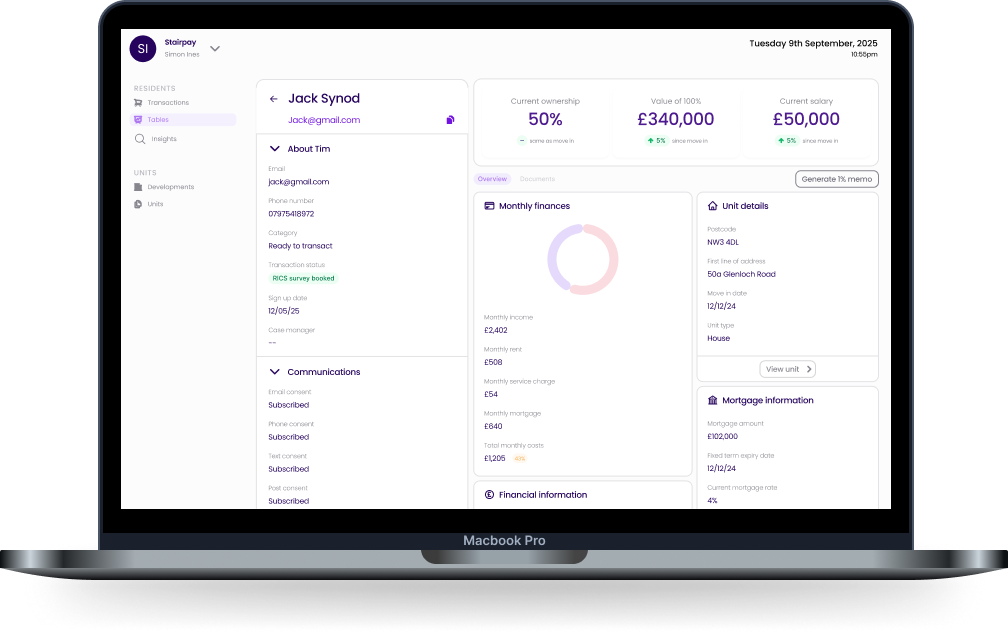
Your team sees, in real time
- Live affordability per resident
- Document and ID status
- Engagement with comms and statements
- Instructions landing as case-ready records
- Consent and contact-preference state
- Audit trail of every resident action
From in-app instruction to case opened — without a handover note
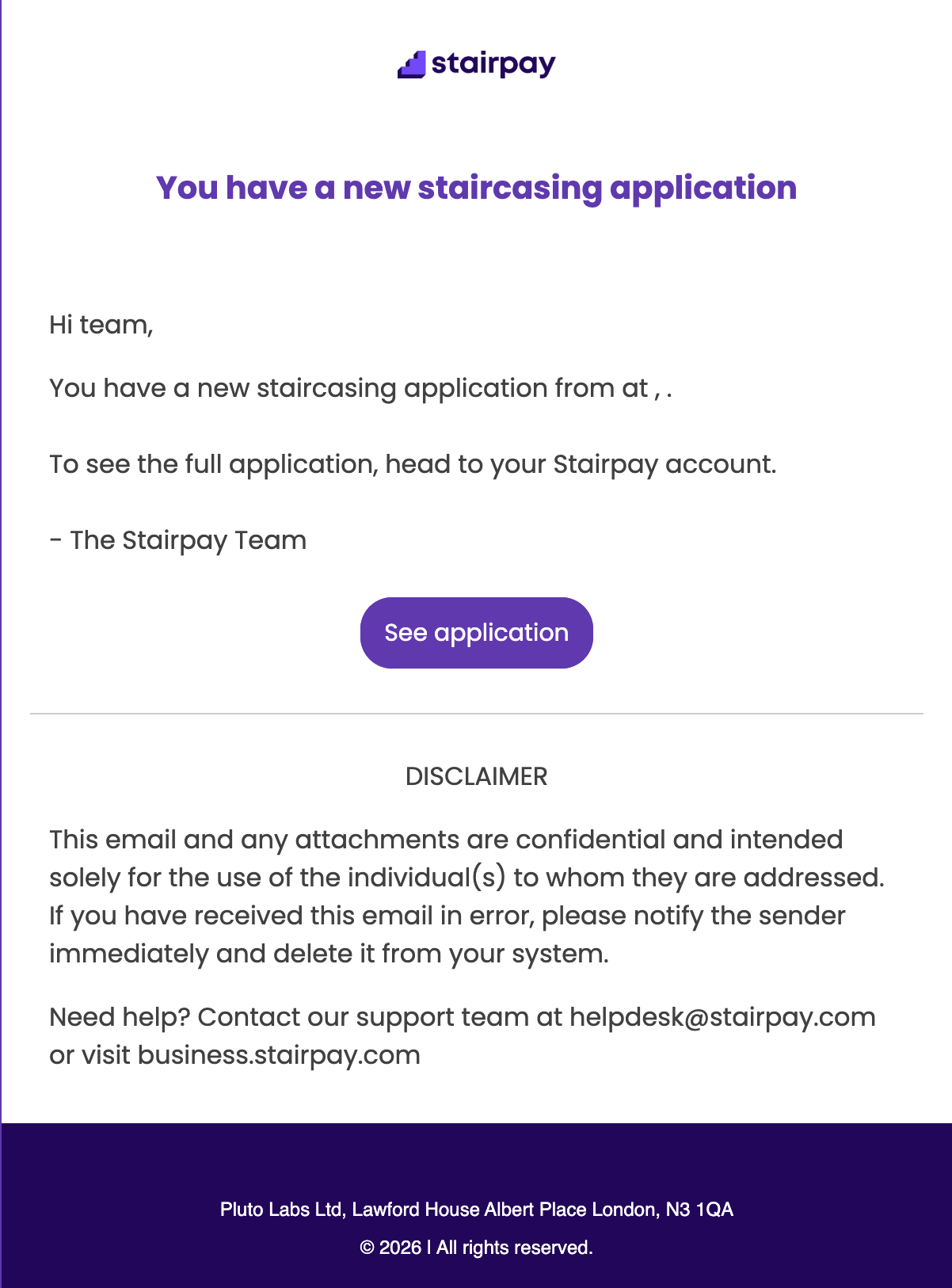
When a resident instructs staircasing, a resale, or a lease change in the app, the case doesn't land as an email for someone to read and re-key. It lands in your aftersales workflow with the resident's affordability, lease, and document trail already attached.
- 1
Resident instructs in-app
Staircasing, resale, name change, lease query — the resident picks the action and the app surfaces only the questions that aren't already on file.
- 2
Affordability re-checked silently
Income and outgoings already in the resident's record are re-validated; only deltas are asked for, so the form is short and the data stays fresh.
- 3
Case opens with the work half-done
The instruction lands in Aftersales as a structured case — with affordability, ID, and lease attached — so your team starts at step three, not step zero.
- 4
Status syncs back to the resident
Every milestone in the case writes back to the app, so the resident sees progress without phoning to ask — and chases land as nudges, not letters.
- 5
Completion settles into one record
Equity changes, lease updates, and balances write back to the resident's record at completion, so the next instruction starts from the new state automatically.
A clean, live resident record — without forms or surveys
A generic CRM tells you what you stored when the resident first signed up. The Resident Portal keeps the record current by being the place residents already use — so income, outgoings, consents, and contact details stay live without your team running a data-cleanse cycle every two years.
Stop running portfolio data-cleanses
Resident-owned fields — income, outgoings, contact preferences, consents — kept current by the resident in-app, not by your team chasing forms once every two years.
Feed the rest of the platform with truth
Aftersales runs cases against the live record, Compliance reads the resident-side of every lease event, Finance reconciles to current balances — all from one source of truth.